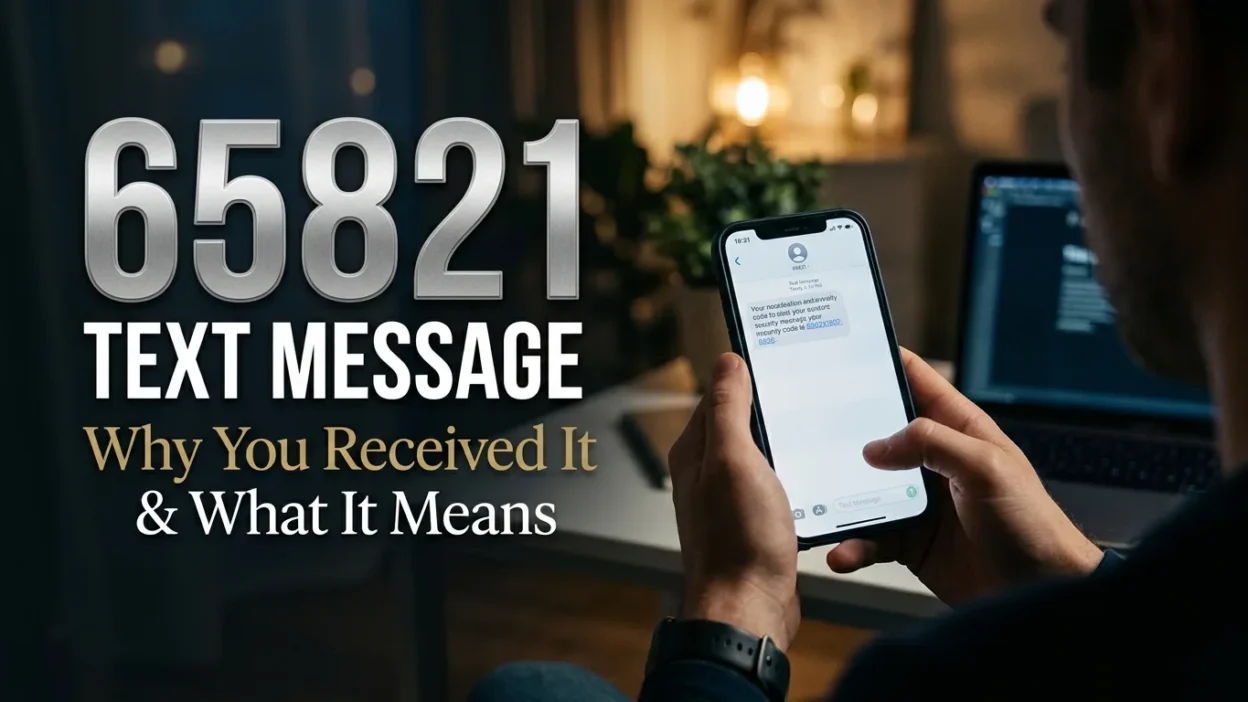
Receiving a text from an unfamiliar five-digit number can leave you wondering who sent it and why it appeared on your phone. If you have received a 65821 text message, you may be trying to identify the sender, understand its purpose, or determine whether the message is safe.
The number 65821 appears in online short-code directories associated with Okta, an identity and access management service. It is listed in connection with authentication and verification messages. However, a short code alone cannot confirm the sender or explain every message received from it. Its purpose may depend on the service, messaging program, and your recent account activity.
This guide explains what the number may represent, why you might receive a message from it, and how to handle unexpected verification codes or suspicious texts. Most importantly, you will learn how to check the message without exposing your personal information.
What Is the 65821 Text Message?
The 65821 text message comes from a number formatted like an SMS short code. Short codes are typically five or six digits long and allow businesses and organizations to send automated messages to mobile phones.
Unlike a regular phone number, a short code often supports high-volume communication. Organizations may use these numbers for:
- Account verification codes
- Login and security notifications
- Password reset messages
- Service updates
- Transaction alerts
- Subscription notifications
Several online short-code directories associate 65821 with Okta and identity verification. Okta provides services that organizations use to manage digital identities and secure access to online accounts. Therefore, a message from this number may relate to a login or authentication process.
However, that association does not prove that every text from 65821 concerns Okta. Always consider the actual message and whether it matches something you recently did.
Who Sends Text Messages From 65821?
Online listings identify 65821 with Okta, a service used by businesses and organizations to manage user access and authentication. For example, an employer may use an identity management platform to help employees sign in to workplace applications.
A verification message may arrive when someone requests an additional security check during login. In that situation, the text may contain a temporary code that helps confirm access to an account.
Published short-code directories also provide different records about the number. Therefore, you should not assume that a directory listing identifies the sender of your specific message.
To investigate the source, consider these possibilities:
- Okta authentication: You may have requested a login code for a workplace or organizational account.
- Account verification: A service connected to an identity platform may have triggered a security message.
- Incorrect phone number: Another person may have entered your number by mistake.
- Unexpected login attempt: Someone may have tried to access an account associated with your phone number.
- Unwanted messaging: The message may be unrelated to your recent activity and require further investigation.
Check the service name and message wording before taking action. If you cannot identify the sender, contact the relevant organization through its official website or support channel.
Why Did I Receive a 65821 Text Message?
There are several possible reasons for receiving this notification. Your recent online activity is often the best starting point for understanding it.
You Requested a Login Verification Code
Some online services require an additional security check before allowing access. When you enter your login details, the service may send a temporary code to your registered phone number.
If you recently signed in to a workplace portal or another account that uses Okta, the message may be connected to that process.
Someone Entered Your Number by Mistake
A person registering for an account or requesting a verification code might accidentally enter the wrong phone number. Consequently, the message could reach your device even though you never requested it.
This does not automatically mean someone has accessed your account.
Someone Attempted to Sign In
An unexpected verification code can also indicate that someone entered your phone number during a login attempt.
For example, another person may know your username or email address and attempt to access an account. If the service requires phone verification, it may send a code to your device.
Do not share that code. If you recognize the account involved, check its security settings through the official website.
You Recently Changed Account Settings
Some platforms send authentication messages when users reset passwords, update security details, or change account settings.
Review your recent activity to see whether you initiated any such action.
The Message May Be Unwanted or Suspicious
If the text contains unfamiliar links, requests personal details, or uses threatening language, treat it cautiously. Its appearance under a short code does not guarantee that its contents are trustworthy.
Is the 65821 Text Message Legitimate or a Scam?
The number 65821 appears in short-code directories associated with legitimate authentication services. However, that information alone cannot establish whether an individual message is genuine.
A legitimate verification text usually relates to an action you recently initiated. For example, you might receive a temporary code shortly after requesting access to an account.
On the other hand, an unexpected message deserves attention, especially if it asks you to disclose sensitive information.
Look for these differences:
Message detailWhat it may indicateCode arrives after your login requestConsistent with normal verificationCode arrives unexpectedlyPossible mistake or unrequested loginMessage asks for your passwordSerious warning signText includes an unfamiliar linkRequires independent verificationMessage threatens immediate account closurePotential pressure tacticText identifies a service you recognizeUseful clue, but not proof
Remember that genuine-looking formatting does not guarantee authenticity. Likewise, receiving an unexpected code does not automatically mean your account has been hacked.
The safest approach is to verify the message through the official service rather than trusting the sender number alone.
What Should You Do After Receiving a 65821 Text Message?
Your next step depends on whether you recognize the activity connected to the message. If you recently requested a verification code, follow the official login process. Otherwise, take a moment to check your account security.
Here are practical steps to handle the notification safely.
Check Whether You Requested the Code
Think about your recent online activity. Did you sign in to a work account, open an application, reset a password, or request a security code?
If you did, the message may be part of a normal authentication process. Enter the code only on the official website or application where you requested it.
However, if you did not initiate the request, do not use the code.
Never Share Your Verification Code
A verification code is intended for the account holder. Someone who obtains it may be able to complete an authentication process.
Keep the code private, even if a person claims to work for customer support, your employer, or a technical department.
Legitimate support representatives should not need you to disclose a one-time login code through an unexpected phone call or text conversation.
Check Your Account Activity
If you recognize the service mentioned in the message, visit its official website or application directly.
Review available security information, including:
- Recent login attempts
- Active sessions
- Unrecognized devices
- Password changes
- Recent security notifications
If anything looks unfamiliar, follow the service’s account recovery and security instructions.
Contact the Organization Directly
When the message mentions an employer, school, or business account, contact its IT department or administrator through a known communication channel.
Avoid using contact details or links included in an unexpected text until you have verified them independently.
Delete or Report Suspicious Messages
If the text appears unrelated to your activity and contains suspicious instructions, avoid replying or clicking its links.
You can also report unwanted messages through your mobile carrier’s available spam-reporting process.
Should You Reply to a 65821 Text Message?
Whether you should reply depends on the message and the service behind it. Some legitimate short-code programs support replies, while others use the number only for automated notifications.
Do not send personal information or verification codes in response to an unfamiliar text.
If the message includes instructions such as STOP or HELP, check whether they belong to a service you recognize before responding. These commands are commonly used in legitimate messaging programs, but you should not assume every unexpected text is trustworthy.
For an unknown verification message, ignoring it is generally safer than starting a conversation with an unidentified sender.
If you believe the message relates to an account you use, contact the service through its official support channel instead.
What If You Receive a 65821 Verification Code You Did Not Request?
An unexpected verification code can be confusing, particularly when you have not attempted to sign in anywhere. Fortunately, receiving a code by itself does not prove that someone has accessed your account.
It may simply mean that another person entered your phone number incorrectly. However, it could also indicate an attempted login.
Take these precautions:
- Do not share the code: Keep it private, regardless of who asks for it.
- Avoid unexpected links: Do not open links in a message you cannot verify.
- Identify the service: Read the message carefully to see whether it mentions an organization or application.
- Review account security: If you recognize the service, check recent activity through its official website.
- Update your password if necessary: If you find suspicious account activity, use a strong, unique password.
- Enable additional protection: Where available, use multi-factor authentication or an authenticator application.
- Contact support: Ask the relevant organization to investigate repeated or unexplained verification requests.
If the same message arrives repeatedly, keep a record of the dates and times. That information may help the organization’s support team investigate the issue.
How to Block or Report Messages From 65821
Blocking an unwanted sender can reduce interruptions. However, consider whether you use an account that may depend on this number for legitimate verification messages.
Blocking it could prevent future security codes from reaching your phone.
Block a Message on an Android Phone
The exact steps can vary depending on your phone model and messaging application. In Google Messages, you can generally follow this process:
- Open the Messages application.
- Find the conversation from 65821.
- Open the conversation options.
- Select the block or report spam option if available.
- Confirm your choice.
Some Android devices use different menu labels. Check your messaging application’s settings if you cannot find the option.
Block a Message on an iPhone
On an iPhone, you can manage unwanted messages through the Messages application.
- Open Messages.
- Find the conversation from the short code.
- Tap the sender or conversation details.
- Look for the available blocking or filtering options.
- Follow the on-screen instructions.
Apple’s available controls can vary by iOS version and message type.
Report Suspicious Messages
If you suspect spam or fraud, use your messaging application’s reporting feature when available. You can also check your mobile carrier’s official website for its reporting instructions.
Before blocking the number, consider whether it may be connected to a service you rely on for account verification.
65821 Text Message vs. Other Verification Short Codes
Many organizations use short codes to deliver automated messages. Although these numbers may look similar, they do not necessarily belong to the same company or serve the same purpose.
A short code may support login verification, account alerts, appointment reminders, promotional messages, or other notifications.
Here is how these message types differ:
Message typeMain purposeLogin verificationConfirms an attempted sign-inPassword resetHelps users recover account accessSecurity alertNotifies users about account activityTransaction notificationReports a payment or account transactionPromotional messageShares offers or marketing updatesService notificationProvides information about an account or service
The number alone cannot reliably tell you which category a message belongs to. Always check its wording and the service it identifies.
How to Identify a Genuine 65821 Text Message
When you receive an unfamiliar verification text, focus on the message itself rather than relying only on the sender number.
A few simple checks can help you decide whether the notification matches legitimate account activity.
- Check the context: Did you recently request a login code or change an account setting?
- Read the wording: Look for the name of the service or organization associated with the notification.
- Avoid suspicious links: Open the official application or website separately instead of following an unexpected link.
- Protect personal details: A legitimate verification process should not require you to send your password or one-time code to another person.
- Confirm through official support: Contact the organization using contact details from its verified website.
Also, remember that caller ID and sender information can sometimes be misleading. Even a familiar-looking number should not replace independent verification.
What Does 65821 Mean for Okta Users?
Okta provides identity and access management services that organizations use to manage employee and customer logins. Depending on the organization’s configuration, its authentication system may send text messages containing temporary verification codes.
If your workplace or another service uses Okta, a message from a short code associated with the platform may relate to an authentication request.
For example, you might receive a code when:
- Signing in to a company account
- Accessing a protected application
- Completing an additional identity check
- Recovering access to an account
- Confirming a security-related action
However, not every Okta setup uses SMS verification. Some organizations use authenticator applications, security keys, or other authentication methods.
If you receive an unexpected code, do not assume that someone has successfully accessed your account. Instead, contact your organization’s IT administrator and ask whether the notification matches an actual sign-in attempt.
Frequently Asked Questions
What is the 65821 text message?
The 65821 text message comes from a five-digit short code associated in online directories with Okta authentication services. Its exact purpose depends on the message and the service involved.
Is 65821 a legitimate number?
Online short-code listings associate 65821 with Okta. However, a directory listing cannot confirm that every individual message is genuine. Always verify unexpected messages independently.
Why did I receive a 65821 verification code?
You may have received it after requesting a login code, accessing an account, or changing security settings. Another person may also have entered your phone number by mistake.
Is the 65821 text message a scam?
Not necessarily. The short code has an association with authentication services, but you should still examine each message carefully. Avoid suspicious links and never share verification codes.
What should I do if I did not request a 65821 code?
Do not share or enter the code. If you recognize the service, check your account activity through its official website. Contact its support team if you notice suspicious activity or continue receiving unexpected codes.
Conclusion
An unfamiliar text can raise questions, especially when it contains a verification code or mentions an account you use. The 65821 text message is associated in online short-code directories with Okta, but that connection alone does not establish the authenticity of every notification.
Check whether you recently requested a login code, review the message carefully, and verify the source through an official channel. If you did not request the code, keep it private and avoid clicking unfamiliar links.
Most importantly, never share a one-time password with someone who contacts you unexpectedly. A little caution can help protect your accounts and personal information while allowing you to recognize legitimate security notifications.

Noah Anderson is a content writer at MessagesfyHub, specializing in heartfelt messages, wishes, quotes, and greetings for every occasion. He is passionate about creating meaningful, easy-to-share content that helps people express their emotions with the right words.