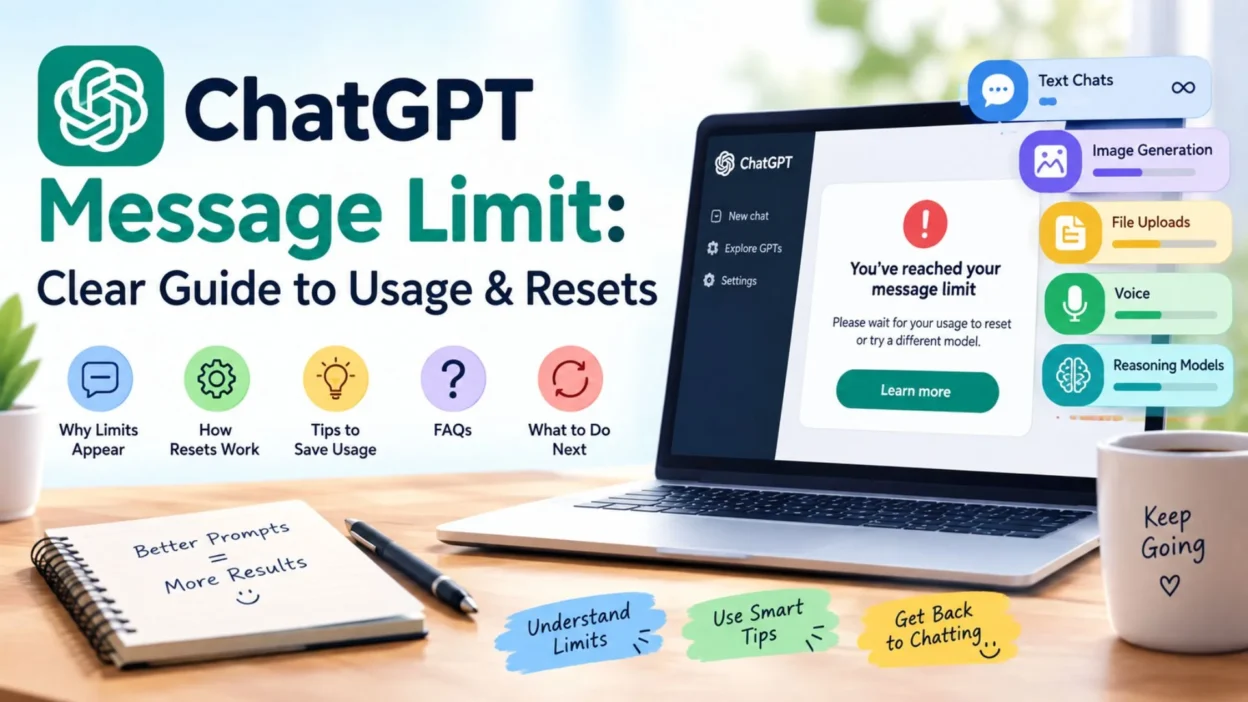
You are in the middle of an important conversation, you send another prompt, and suddenly ChatGPT tells you that you have reached a limit. It can be confusing, especially when you are not sure whether the problem is your account, the model you selected, or the type of feature you are using.
The ChatGPT message limit refers to usage restrictions that can apply to particular plans, models, reasoning options, or features. These limits are not always the same for everyone. They can also change as OpenAI updates its models and plans.
Understanding the difference between everyday chat access and model-specific limits can make the situation much easier to understand. Below, you will find a simple guide covering how ChatGPT limits work, why you may see a limit notice, and what you can do when your access is temporarily restricted.
What Is the ChatGPT Message Limit? 💬
The ChatGPT message limit is a usage restriction that determines how much you can use certain ChatGPT models or features within a particular period.
OpenAI states that limits vary according to the plan and model, and they can change over time.
- 💬 Some everyday text chat access can be available without a fixed message cap on certain plans.
- 🤖 Specific advanced models can have their own usage allowances.
- 🧠 Reasoning models may have separate limits from everyday chat.
- 🖼️ Image generation has separate limits from ordinary text conversations.
- 📁 File uploads and data analysis can also have separate usage restrictions.
- 🎙️ Voice features may have their own limits.
- ⏳ When a model-specific allowance is reached, ChatGPT may show when access will become available again.
- 🔄 Depending on your plan and available options, another model may remain available while one model is temporarily limited.
OpenAI currently describes Free and Go users as having unlimited everyday text chats, subject to abuse-prevention safeguards, while separate restrictions continue to apply to tools and other features.
Why Does ChatGPT Have Message Limits? ⚙️
Usage limits help manage access to different models and features while keeping the service available across different types of users.
The exact reason you encounter a limit depends on what you are using.
- Model usage: Different models can have different allowances.
- Reasoning level: Higher reasoning options may use a separate allowance.
- Plan type: Free, Go, Plus, Pro, Business, and Enterprise plans can have different usage arrangements.
- Feature usage: Images, files, voice, data analysis, and other tools may be governed by separate limits.
- Abuse safeguards: OpenAI may apply temporary restrictions to help prevent misuse.
- Workspace settings: Business or Enterprise users may also be affected by workspace-level settings.
OpenAI notes that reaching an allowance does not necessarily mean the account itself has been restricted. In many cases, you simply need to wait for the relevant allowance to reset or use another available option.
Short ChatGPT Message Limit Guide 📌
If you only need the basics, these points explain the situation quickly.
- ChatGPT limits can vary by plan.
- Limits can also vary by model.
- Not every feature shares the same limit.
- Everyday text chat may have different rules from advanced reasoning.
- Image creation can have a separate usage limit.
- File and image uploads can have separate limits.
- ChatGPT may display a reset time when one is available.
- You may be able to switch to another available model after reaching a model-specific allowance.
- Limits can change as OpenAI updates its plans and models.
What Happens When You Reach a ChatGPT Limit? 🚫
The result depends on which limit you have reached. A message limit for one model does not necessarily mean that every ChatGPT feature stops working.
You may see a notice explaining that you have reached a particular usage allowance. In some situations, ChatGPT provides information about when that allowance will reset.
- ⏰ You may need to wait until the displayed reset time.
- 🔄 Another available model may be usable instead.
- 💬 Everyday chat may remain available if the restriction applies only to a particular model.
- 🖼️ If the limit involves image generation, ordinary text chat can still be separate from that restriction.
- 📁 A file-upload limit does not necessarily mean your regular conversations have stopped.
- 🧠 A reasoning-model allowance can be separate from ordinary chat usage.
- ⚠️ Temporary safeguards can sometimes restrict usage independently of normal plan allowances.
The important point is that “I reached a limit” does not always mean “I cannot use ChatGPT at all.”
ChatGPT Message Limits by Feature 🔍
Different features can operate under different usage rules. Understanding this distinction can prevent a lot of confusion.
Everyday Text Chat 💬
Everyday text conversations are the basic ChatGPT experience. Current OpenAI documentation says Free and Go users have unlimited everyday text chats, subject to abuse-prevention safeguards.
This does not mean every model or tool is unlimited. Advanced models and other features can still have separate allowances.
Reasoning Models 🧠
Reasoning options are designed for more demanding tasks and may have their own usage allowances.
OpenAI currently explains that manually selecting Medium, High, or Extra High reasoning uses GPT-5.6 Sol, while Go users can use Think with GPT-5.6 Luna.
- Complex research may use more reasoning.
- Coding tasks can require higher reasoning effort.
- Difficult analysis may use a reasoning model.
- Reaching a reasoning allowance does not necessarily stop ordinary chat.
- ChatGPT may provide another available option or show a reset time.
Image Generation 🖼️
Image creation has its own usage limits and does not simply use the same allowance as ordinary text chat.
OpenAI’s Free Tier documentation specifically lists image creation separately from regular ChatGPT usage.
That means you can potentially reach an image-generation limit while still being able to continue a text conversation.
File Uploads 📁
Uploading documents, images, or other files can also have separate restrictions.
For example, reaching a file-upload allowance does not automatically mean that your ability to send ordinary text messages has ended.
Voice 🎙️
Voice usage can also have separate limits. The availability and allowance depend on the plan and feature being used.
Does the ChatGPT Message Limit Reset? 🔄
Yes, model-specific or feature-specific allowances can reset according to the applicable usage window.
The exact reset schedule depends on the model, feature, and plan. When available, ChatGPT can display the relevant reset timing to you.
- ⏰ Check the message shown in ChatGPT for the reset time.
- 🔄 Wait until the applicable allowance becomes available again.
- 🤖 If another model is offered, you can use that option temporarily.
- 📌 Remember that different features can have different reset schedules.
- ⚠️ Do not assume that every ChatGPT limit resets at the same time.
OpenAI also states that support cannot manually reset ChatGPT or Codex usage limits. If you reach a limit, the normal options are to wait for the reset or use another available option shown in your account.
Why Your ChatGPT Message Limit May Look Different
It can be confusing when one ChatGPT user reaches a limit while another keeps chatting without seeing the same notice. The reason is that usage allowances are not always identical.
Your available usage can depend on the plan you use, the model selected, and the feature you are trying to access. A limit for one model does not necessarily mean every ChatGPT feature has stopped working.
Plan and Model Can Affect Usage 💬
Different plans can have different allowances, while individual models may also have their own limits. That means two people using ChatGPT at the same time may see different messages or reset times.
For everyday text chat, current limits can work differently from limits attached to advanced models or tools. Always pay attention to the specific notice shown in your account rather than assuming every ChatGPT message uses the same allowance.
A Tool Limit Is Not Always a Chat Limit 🛠️
You might be able to continue a normal conversation while another feature is temporarily unavailable.
For example, file uploads, image creation, voice, and data analysis can have separate usage limits. Reaching one of these limits does not automatically mean that every part of ChatGPT has become unavailable.
This distinction is especially useful when you see a message saying that a particular feature has reached its limit.
How to Check Your ChatGPT Message Limit 🔎
The easiest approach is to look at the usage information or limit notice provided inside ChatGPT.
Depending on your plan and feature, ChatGPT may show when an allowance will reset. If a reset time is available, you can use that information to decide whether to wait or switch to another available option.
Look at the Limit Notice
When ChatGPT tells you that you have reached a limit, read the complete notice instead of focusing only on the word “limit.”
The message may indicate which model or feature is affected. It can also provide information about when access is expected to return.
Check the Available Model
If one model becomes temporarily unavailable, another model may still be available.
Switching to an available model is different from bypassing a restriction. It simply means using an option that your account currently provides.
Watch for the Reset Time
Some usage notices display a reset time when that information is available. Once the relevant allowance resets, access to the affected option can return.
Keep in mind that different features can follow different usage windows, so one reset does not necessarily refresh every feature at once.
What Should You Do After Reaching a ChatGPT Message Limit? 📌
Seeing a limit does not necessarily mean there is a problem with your account. In many cases, the simplest solution is to wait for the relevant allowance to reset.
If another available model or feature is offered, you can continue your work there.
Wait for the Allowance to Reset
If you do not urgently need the restricted model or feature, waiting is often the most straightforward option.
Use the reset information displayed by ChatGPT as your guide. Avoid relying on old screenshots or information from another user’s account because limits can change.
Continue With Another Available Option
Sometimes ChatGPT provides another model or option after a particular allowance has been reached.
This can be useful when you are working on something that does not require the exact model you were previously using.
For simple writing, brainstorming, explanations, or everyday questions, an available standard chat option may be enough to keep your work moving.
Reduce Unnecessary Back-and-Forth
Long projects can sometimes involve many small messages that could be combined into one clear request.
Instead of sending several short prompts separately, consider putting the requirements into one well-structured message.
For example:
- Explain the goal clearly.
- Add the important background information.
- List the exact changes you want.
- Mention the preferred format.
- Ask for the complete result in one response.
A stronger first prompt can make a conversation more efficient and easier to manage.
Tips to Avoid Hitting Your ChatGPT Message Limit Too Quickly ⚡
You do not need to stop using ChatGPT just because you want to make your usage more efficient. A few simple habits can reduce unnecessary messages.
Combine Related Questions
If several questions belong to the same topic, ask them together.
Instead of sending separate messages such as:
- “What does this mean?”
- “Can you explain it?”
- “Can you give an example?”
- “Can you make it shorter?”
You can request all four in one message.
That gives ChatGPT a clearer target from the beginning.
Give Complete Instructions
A vague request may lead to several rounds of corrections.
Clear instructions can reduce that back-and-forth. Mention the tone, length, format, audience, and important requirements when they matter.
For content writing, you might specify:
- Target keyword
- Word count
- Heading structure
- Tone
- Audience
- SEO requirements
- Formatting preferences
This approach can save time while producing a result closer to what you actually need.
Save Useful Prompts
If you regularly perform the same task, keep a reusable prompt.
A saved prompt can help you avoid rebuilding the same instructions every time. You can then change only the topic or keyword while keeping the main structure.
Avoid Repeating the Same Request
If ChatGPT already understands the task, there is usually no need to resend the entire instruction set.
Instead, give a focused correction such as:
- “Make the introduction longer.”
- “Remove the repeated phrases.”
- “Keep the same meaning but change the wording.”
- “Continue from the previous section.”
Short, specific follow-ups are often easier to manage.
Can You Increase or Bypass the ChatGPT Message Limit? 🚫
There is an important difference between managing your usage and trying to bypass a restriction.
You should not rely on tricks intended to evade ChatGPT’s usage safeguards. If a particular allowance has been reached, use the legitimate options shown by your account.
Wait for the Reset
The normal solution is to wait until the affected allowance becomes available again.
If ChatGPT provides a reset time, use that information rather than guessing when access will return.
Use Another Available Option
If your account provides another model or feature, you may be able to continue your work without waiting for the restricted option.
This can be particularly helpful when the task does not require a specific model.
Consider a Different Plan
If you regularly need higher usage allowances, you can compare the plans available to your account.
Plan availability and limits can change, so check the current ChatGPT plan information rather than relying on older articles or screenshots.
Does Upgrading Remove Every ChatGPT Limit?
No single plan should be treated as meaning that every feature is unlimited.
ChatGPT can have separate allowances for models and tools. Even paid plans can have usage limits for particular models or features.
The important question is not simply whether a plan is “limited” or “unlimited.” Instead, check which model or feature you need and what allowance applies to it.
What If Your Limit Seems Incorrect? 🔧
Sometimes a user may believe that a limit appeared too early or that access did not return after the displayed reset time.
In that situation, check the account, model, feature, and reset information shown in ChatGPT first.
If the stated reset time has passed and access still has not returned, or you believe your usage was counted incorrectly, contacting OpenAI Support is the appropriate next step.
Support does not simply reset normal usage limits on request, but it can investigate account-specific problems when something appears incorrect.
Best Practices for Long ChatGPT Conversations 🧠
A long conversation can become easier to manage when you keep your instructions organized.
Start with the main goal, then provide the details needed to complete it. If the project is large, divide it into logical sections.
For example:
- Define the overall goal first.
- Complete one section at a time.
- Review the result before moving forward.
- Give corrections in short, specific instructions.
- Keep important requirements consistent.
- Avoid asking for the same information repeatedly.
This workflow is especially useful for articles, research notes, study projects, coding tasks, and other multi-step work.
A well-organized conversation can also make it easier to identify whether a problem is related to the task itself or to a particular model or feature limit.
ChatGPT Message Limit: Quick Takeaway 📱
A ChatGPT message limit is not always a simple maximum number of messages for your entire account.
Limits can apply differently depending on the plan, model, and feature. Everyday text chat, advanced models, file uploads, image generation, voice, and data analysis may follow different usage rules.
When a limit appears, first identify what exactly has reached its allowance. Then check whether ChatGPT shows a reset time or another available option.
Most importantly, do not assume that an old limit applies today. ChatGPT usage rules can change as models and features are updated.
Common Reasons a ChatGPT Message Limit Appears 🔍
A limit notice can appear for several different reasons. The exact reason depends on what you were using when the message appeared.
Heavy Usage
Sending many requests within a short period can use an available allowance more quickly. This is especially relevant when working through a long project with many separate prompts.
If you are making frequent requests, combining related instructions can make the conversation more efficient.
Using an Advanced Model
Some models or reasoning options can have usage allowances that differ from everyday chat.
As a result, reaching the allowance for one model does not necessarily mean that your entire ChatGPT account has stopped working.
Using a Separate Feature
A message limit may actually be connected to a feature rather than ordinary text messaging.
File uploads, image generation, voice, and data analysis can have separate limits. If one of these features reaches its allowance, other parts of ChatGPT may remain available.
Temporary Usage Restrictions
ChatGPT can apply usage safeguards that affect availability. These restrictions are designed to help maintain reliable access across the service.
When a notice appears, the message displayed in your account is the best source for understanding what is temporarily restricted.
How Long Does a ChatGPT Message Limit Last? ⏳
There is no single reset period that applies to every ChatGPT limit.
The duration can depend on the specific model, feature, plan, and usage allowance involved. Some limits use a defined usage window, while ChatGPT may provide a specific reset time when applicable.
Because these rules can change, an old article saying that every limit resets after a fixed number of hours may no longer describe the current system.
Check the Message You Receive
When you reach a limit, read the notice carefully.
It may tell you:
- Which model or feature is affected
- Whether another option is available
- When access should return
- Whether you need to wait before continuing
That information is more useful than guessing based on someone else’s experience.
Frequently Asked Questions About ChatGPT Message Limit
What does ChatGPT message limit mean?
The ChatGPT message limit refers to a usage restriction that can apply to a model, feature, or account allowance. It does not always mean that every ChatGPT function has become unavailable.
Does the ChatGPT message limit reset?
Yes, applicable usage allowances can reset according to their specific usage window. The timing depends on the model or feature involved, and ChatGPT may show a reset time when available.
Why did I reach a ChatGPT message limit so quickly?
The reason can vary. Your usage may involve a model or feature with a separate allowance, or you may have made many requests during the relevant usage period.
Can I still use ChatGPT after reaching a limit?
In some situations, yes. Another model or feature may remain available even when a particular allowance has been reached. The options shown in your ChatGPT interface determine what you can use at that moment.
Does paying for ChatGPT mean there are no limits?
Not necessarily. Paid plans can provide different usage allowances, but specific models and features can still have their own limits. Current plan details should be checked before making assumptions about a particular allowance.
Copy-Paste Ready ChatGPT Limit Messages 💬
If you need to explain the situation to someone else, these short messages can be copied and shared.
- “I’ve reached my current ChatGPT usage limit, so I’ll continue once access resets.”
- “ChatGPT is temporarily limiting the feature I’m using. I’ll pick this back up when it becomes available.”
- “I reached a model limit, but I’ll continue with another available option.”
- “The ChatGPT limit should reset according to the usage window shown in my account.”
- “I can continue the task once the current ChatGPT allowance becomes available again.”
- “I’ve hit a temporary usage limit, so there may be a short delay before I can continue.”
Best ChatGPT Message Limit Tips for Everyday Use 💡
Keeping your prompts organized can make ChatGPT easier to use, particularly when you are working on a large task.
Write One Strong Prompt
Put the main requirements into one message whenever possible.
A complete prompt can include your topic, goal, audience, format, tone, length, and any restrictions. This reduces the need for repeated clarification.
Break Large Projects Into Sections
Large tasks do not always need to be completed in one enormous request.
Divide an article, study assignment, or research project into logical sections. Then continue from one completed section to the next.
Keep Corrections Specific
If something needs changing, identify the exact problem.
Instead of rewriting your entire request, you can say what needs to be fixed. For example, ask for a shorter paragraph, different wording, fewer repeated phrases, or a different tone.
Keep Important Information Together
When working on a long project, keep the key requirements easy to reference.
This can help you avoid sending multiple messages simply to remind ChatGPT about the same instructions.
Final Thoughts on ChatGPT Message Limit
Seeing a ChatGPT message limit can be frustrating, especially when you are in the middle of an important conversation. However, the word “limit” does not always mean that ChatGPT has completely stopped working.
The restriction may apply to a particular model or feature rather than everyday chat. Your available usage can also depend on your plan and the specific service you are using. When a limit appears, check the notice carefully, look for a reset time, and see whether another available option can keep your work moving.
For regular use, thoughtful prompts can also make conversations more efficient. Combining related questions, giving complete instructions, and avoiding unnecessary back-and-forth can help you get more from each conversation.
Most importantly, always check the current information displayed by ChatGPT because usage limits and feature availability can change over time.
A limit is a pause on a particular allowance—not necessarily the end of your ChatGPT session.

Noah Anderson is a content writer at MessagesfyHub, specializing in heartfelt messages, wishes, quotes, and greetings for every occasion. He is passionate about creating meaningful, easy-to-share content that helps people express their emotions with the right words.