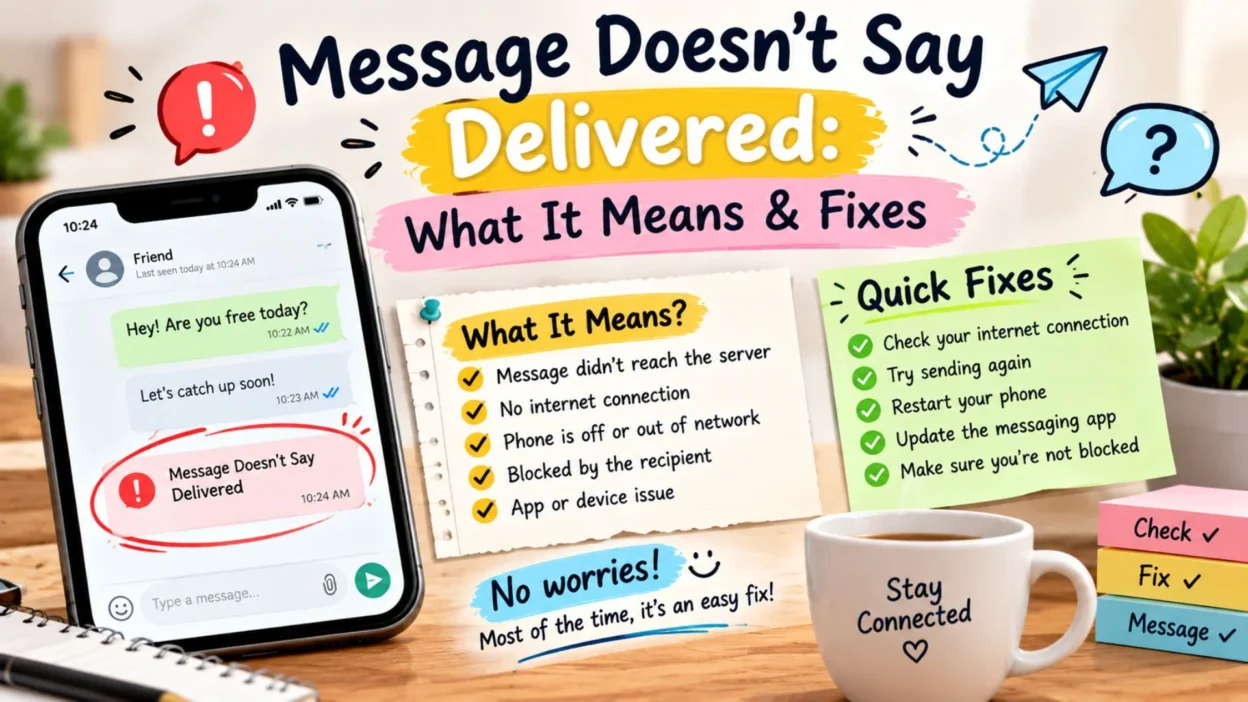
You send a message, wait for the familiar “Delivered” status, and nothing appears. That small missing notification can quickly make you wonder whether the message went through, the recipient is offline, or something else is happening.
If your message doesn’t say delivered, there are several possible reasons. The situation can depend on the messaging app, your internet connection, the recipient’s phone, or the type of message you sent. Sometimes the issue is temporary and fixes itself within a few moments. Other times, a setting or connection problem may be involved.
The good news is that a missing delivery status does not automatically mean something negative. Before assuming the worst, it helps to check a few simple things. Below are common reasons, quick troubleshooting ideas, and practical ways to understand what the status may mean.
Top Reasons Your Message Doesn’t Say Delivered
A missing delivery confirmation can happen for several ordinary reasons. These possibilities are worth checking before jumping to conclusions.
- The recipient may have no internet connection.
- Their phone could be switched off or out of battery.
- Your own internet connection may be unstable.
- The messaging service may be experiencing a temporary issue.
- The recipient may have changed devices or messaging settings.
- Your message may not have been sent successfully.
- The recipient’s phone could be in airplane mode.
- Your app may need an update.
- Mobile data or Wi-Fi may have been temporarily disconnected.
- The recipient may have limited connectivity while traveling.
- The messaging app may not currently have permission to use necessary network features.
- A temporary app or device glitch may be preventing the delivery status from appearing.
Short Answers When a Message Doesn’t Say Delivered
If you are trying to explain the situation to someone, these simple messages can help you communicate without sounding worried or accusatory.
- “My message isn’t showing as delivered yet. I’ll wait and try again later.”
- “It looks like my message hasn’t gone through yet.”
- “I sent you a message, but it isn’t showing as delivered.”
- “Not sure if my message reached you. Can you check when you get a chance?”
- “The delivery status hasn’t appeared yet, so I’m not sure if you received it.”
- “I think the message may still be pending.”
- “My message isn’t showing a delivery confirmation right now.”
- “I’ll try sending it again if it doesn’t go through.”
- “Just checking because my message doesn’t appear to have been delivered.”
- “Let me know when you see this. The message status looks unusual on my side.”
What “Delivered” Usually Means
A delivery status is generally designed to tell you that the messaging system has successfully passed your message to the recipient’s device or account.
The exact meaning can vary between apps, so a missing status should be interpreted within the specific messaging service you are using.
- “Sent” can indicate that your message has left your device.
- “Delivered” generally indicates successful delivery to the recipient’s messaging service or device.
- “Read” usually indicates that the recipient has opened or viewed the message.
- A missing status may indicate that delivery has not yet been confirmed.
- Different apps can use different labels and symbols.
Message Doesn’t Say Delivered on iPhone
If you are using an iPhone, delivery behavior can depend on whether you are sending an iMessage or a regular SMS/MMS message.
- Check whether your iPhone has a working internet connection.
- Look at the message bubble and status to determine whether it was sent through iMessage or another messaging method.
- Make sure Airplane Mode is turned off when you need cellular or Wi-Fi connectivity.
- Try switching between Wi-Fi and cellular data if one connection appears unreliable.
- Restarting the Messages app can sometimes clear a temporary issue.
- Restart your iPhone if the problem continues.
- Check whether other messages are also failing to show delivery information.
- If the recipient recently changed phones or messaging settings, delivery behavior may temporarily differ.
Message Doesn’t Say Delivered on Android
Android messaging can also behave differently depending on the messaging app, carrier, and features being used.
- Check your mobile data or Wi-Fi connection.
- Make sure the messaging app is up to date.
- Restart the messaging app and try again.
- Restart your phone if messages appear stuck.
- Check whether your carrier service is working normally.
- If you use RCS features, check whether the relevant chat features are connected.
- Try sending a short test message to determine whether the problem affects other conversations.
- Check whether the recipient can receive messages from other people.
When a Message Is Still Sending
Sometimes the issue is not the recipient at all. Your own phone may still be trying to send the message.
- Check your internet connection.
- Move to an area with stronger cellular service if your signal is weak.
- Confirm that your phone is not in Airplane Mode.
- Close and reopen the messaging app.
- Try sending a new short message.
- Restart your device if the message remains stuck.
- Check whether other online apps are working normally.
- If everything else works but messaging does not, check your messaging settings or carrier service.
Message Doesn’t Say Delivered After Sending
Sometimes a message appears to send normally, but the delivery confirmation never arrives. Waiting a little while can help determine whether the problem is temporary.
- Give the message a few minutes if the recipient may have poor connectivity.
- Check whether your own connection remains stable after sending.
- Open another conversation and see whether delivery statuses appear normally.
- Try sending a brief follow-up only if the message is genuinely important.
- Avoid repeatedly sending the same message while the status is still pending.
- Restart the messaging app if the status remains unchanged for an unusually long time.
- Check whether your phone has recently lost cellular service.
- If other messages are working normally, the issue may be specific to that conversation or recipient.
Message Doesn’t Say Delivered But It Says Sent
Seeing “Sent” without “Delivered” can be confusing. In many messaging systems, these statuses describe different stages of the message journey.
- “Sent” generally means the message has been transmitted from your device or submitted to the messaging service.
- “Delivered” usually means the service has received confirmation that the message reached its intended destination.
- A message can remain at the sent stage when the recipient is temporarily unreachable.
- Poor connectivity can delay the next status update.
- The recipient’s device may be offline.
- Messaging features may be unavailable on one side of the conversation.
- The delivery status may appear later once the connection is restored.
Message Doesn’t Say Delivered but Calls Go Through
If you can call someone successfully but your message does not show as delivered, the two communication methods may be using different systems.
- A phone call can work through the cellular network while internet-based messaging depends on data.
- Your messaging app may be experiencing a temporary connection problem.
- The recipient may have internet access issues even though their cellular service works.
- The conversation may be using a different messaging feature than expected.
- Try sending a regular SMS if your phone and carrier support it.
- Check whether the same issue happens with other contacts.
- If calls and messages both behave unexpectedly, contacting your carrier may help identify a service problem.
Message Doesn’t Say Delivered to One Person
When messages to other contacts work normally but one conversation does not show delivery, the issue may be specific to that recipient or conversation.
- The recipient’s phone may be offline.
- Their device could be turned off.
- They may have no internet or cellular connection.
- Their messaging account or service could be temporarily unavailable.
- They may have changed phones or messaging settings.
- The conversation could be affected by an app-specific problem.
- A delivery status alone cannot confirm why the message has not appeared.
- Give the person some time before assuming there is a problem between you.
Message Doesn’t Say Delivered to Anyone
If none of your messages are showing a delivery confirmation, look at your own device and connection first.
- Check your Wi-Fi or mobile data.
- Confirm that your cellular service is active.
- Restart your phone.
- Close and reopen the messaging app.
- Check for available app updates.
- Look for a service outage if your messaging platform provides a status page.
- Try sending a message after reconnecting to a different network.
- Contact your carrier or app support if the problem continues.
Could the Recipient Be Offline?
Yes, being offline can be one possible reason a message does not receive a delivery confirmation.
- Their phone may be switched off.
- The battery may have run out.
- They could be in an area without reliable service.
- They may have disabled mobile data.
- Their Wi-Fi connection may have dropped.
- Their device could be in Airplane Mode.
- They may simply be temporarily unavailable.
A missing delivery status by itself does not tell you which of these situations is happening.
Does a Missing Delivery Status Mean You Were Blocked?
Not necessarily. A message that does not say delivered can have many explanations, including connectivity and device problems.
- A missing delivery confirmation does not prove that someone blocked you.
- Different messaging apps handle blocking differently.
- Privacy settings can also affect what status information you see.
- Technical problems can produce similar symptoms.
- The recipient may simply be unavailable.
- Look at the behavior of the messaging service rather than relying on one status alone.
What to Do Before Sending the Message Again
Resending immediately is not always necessary. A few quick checks can help you decide whether another attempt makes sense.
- Check your connection first.
- Wait briefly if the message appears to be pending.
- Confirm that the recipient’s contact information is correct.
- Check whether other messages are being delivered normally.
- Restart the app if the status appears frozen.
- Use another communication method only when the matter is genuinely urgent.
- Avoid repeatedly sending the same message because the original could still arrive later.
Simple Messages to Ask If Someone Received Your Text
If you need to check whether your message reached someone, these options keep the conversation relaxed and avoid sounding demanding.
- “Hey, did my message come through?”
- “Just checking whether you received my last text.”
- “Can you let me know if you saw my message?”
- “Not sure if my last message reached you.”
- “Did you happen to get my text?”
- “I’m not seeing a delivery confirmation. Did it arrive?”
- “Whenever you get a chance, could you check my last message?”
- “Just making sure my message didn’t get lost.”
- “Let me know if you received it when you have a moment.”
- “I wanted to check that my last text reached you.”
When to Try Another Messaging Method
Sometimes switching methods is useful, especially when the message is time-sensitive.
- Use a phone call when the information is urgent.
- Consider email when the message is work-related.
- Try another trusted messaging platform if both people normally use it.
- Ask the recipient to contact you when they regain service.
- Avoid switching platforms repeatedly if the situation is not urgent.
- Keep sensitive information private when using alternative communication methods.
One-Line Message Doesn’t Say Delivered Explanations
These quick explanations are useful when you want a simple answer without getting into technical details.
- Your message may still be waiting for a delivery confirmation.
- The recipient may currently be offline.
- Your internet connection could be unstable.
- Their phone may be switched off or out of service.
- The messaging app may be experiencing a temporary issue.
- Your message may have been sent but not delivered yet.
- A missing status does not automatically mean you were blocked.
- Different messaging apps show delivery information differently.
Best Messages for Captions
If you want a short status or caption about a message that has not been delivered, these options keep things simple and relatable.
- Waiting for that little “Delivered” notification. 📱
- When the message is sent but the confirmation never comes.
- Sent it. Now waiting for “Delivered.”
- That awkward moment when your message has no delivery status.
- One message, zero delivery updates.
- Still waiting to know if my message made it through.
- The message left my phone, but apparently it took a detour. 😅
- Sent and waiting… hopefully it arrives soon.
Copy-Paste Ready Messages
These messages are useful when you need to contact someone about a missing delivery status without sounding frustrated.
- “Hey, I sent you a message earlier, but it doesn’t show as delivered. Just wanted to make sure it reached you.”
- “Hi, I’m not seeing a delivery confirmation for my last text. Could you let me know when you receive it?”
- “Just checking on my previous message. It doesn’t look like it has been delivered yet.”
- “I’m having a little trouble with my messages today. If you didn’t receive my last text, please let me know.”
- “Not sure whether my message went through, so I wanted to check with you when you get a chance.”
Frequently Asked Questions
Why does my message not say delivered?
A message may not show “Delivered” because the recipient is offline, your connection is unstable, their device is unavailable, or the messaging service has a temporary problem.
Does no “Delivered” mean my message failed?
Not always. A missing delivery confirmation does not necessarily mean the message failed. The status may update later when the necessary connection becomes available.
Does it mean I am blocked?
No. A missing delivery status alone cannot confirm that someone has blocked you. There can be several technical or connectivity-related explanations.
Why does my message say sent but not delivered?
“Sent” and “Delivered” can represent different stages. Your message may have left your device successfully while delivery to the recipient has not yet been confirmed.
Should I send the message again?
Usually, it is better to wait briefly and check your connection first. If the message is urgent and delivery still cannot be confirmed, another communication method may be more appropriate.
Conclusion
When a message doesn’t say delivered, it can be tempting to immediately wonder whether something went wrong. However, a missing delivery status does not provide enough information by itself to explain what happened. The recipient could be offline, their phone may be unavailable, your connection could be unstable, or the messaging service may simply need more time to update.
Start with simple checks such as your internet connection, phone service, app status, and whether other conversations are working normally. If everything looks fine, giving the recipient some time may be all that is needed. For urgent situations, a phone call or another trusted communication method can provide a quicker way to reach them.
Most importantly, avoid assuming the worst from one missing notification. Understanding how delivery statuses work can save you unnecessary worry and help you handle messaging problems calmly.

Noah Anderson is a content writer at MessagesfyHub, specializing in heartfelt messages, wishes, quotes, and greetings for every occasion. He is passionate about creating meaningful, easy-to-share content that helps people express their emotions with the right words.